Microsoft · 2019–2026
SFE Work Survey
Seven years across Microsoft's Security and Compliance suite, tracing my path from vendor junior product designer to design systems architect. These five projects range from early feature work to industry-specialized ideation and design system tooling, each one asking the same question: what does my user actually need?
SFE Design System · Figma Plugin
Data Grid Selector
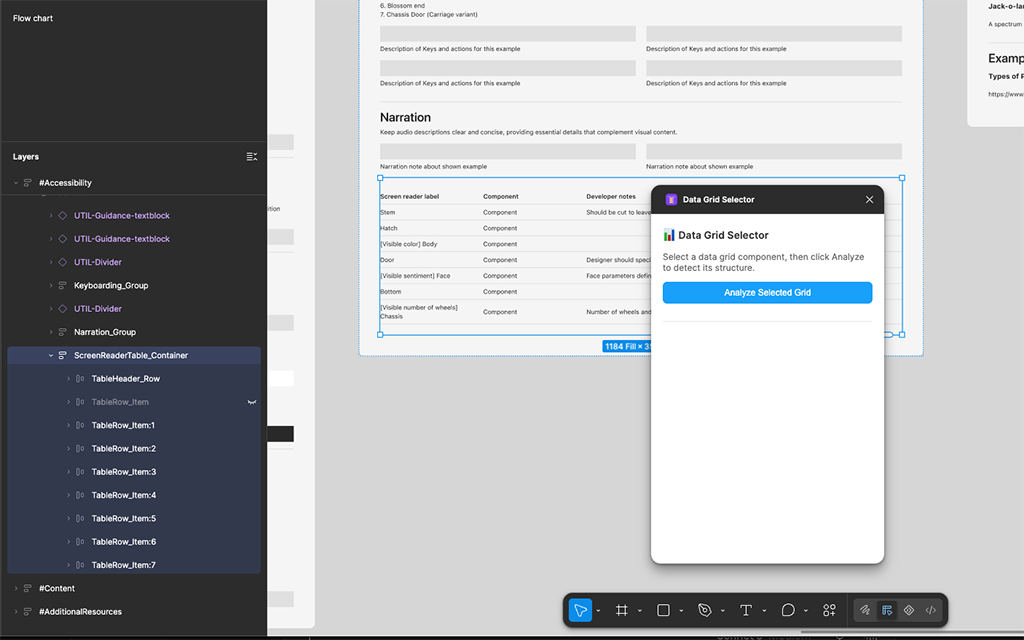
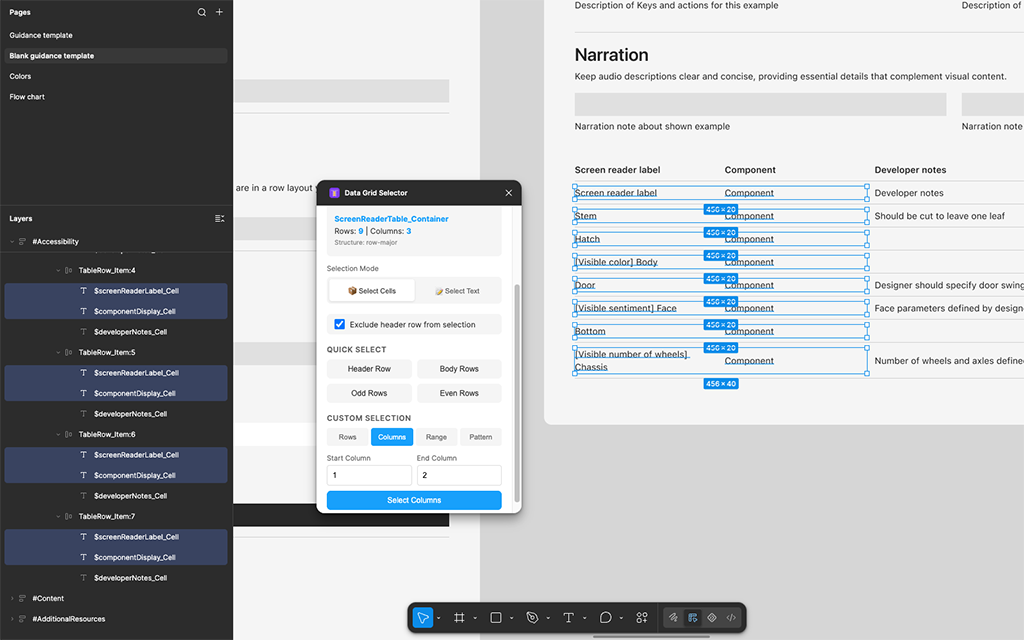
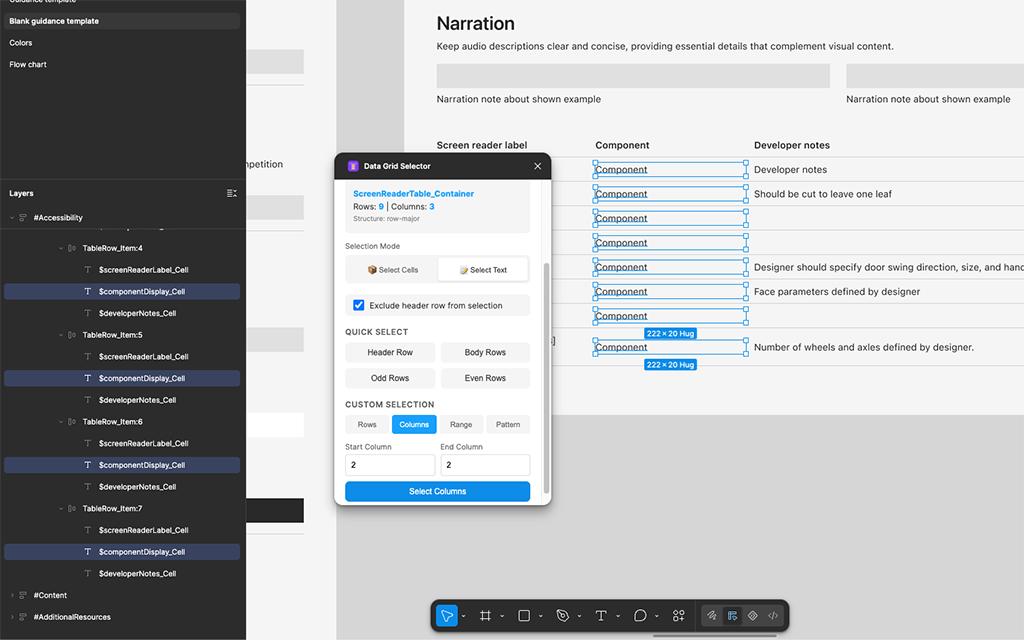
Data and table components had grown into one of SFE's most complex, most-needed templates, but selecting and configuring the right variant inside Figma was slow and repetitive. I built a plugin, using Copilot Agency, to make the use of table components easier and more efficient.
Problem
Everyone across Security and Compliance builds Figma designs with data grids, but there's never been a clean way to structure them. Columns are easy to style and fill with plugin content, and easy to resize, but painful the moment you need to show a single selected row, or worse, shift a selection up or down. Rows are the opposite: easy to auto-layout and fill a composition, but editing more than one cell at a time is a hassle, and resizing a single column means reworking every row by hand. Different designers gravitate to different structures for good reason, and either way, making a complex data grid represent the actual values a given screen or prototype needed was intensely manual work.
Process
- Used the emergence of new AI tools across the team as incentive to build a plugin that could finally solve this
- Used Copilot to audit both Fluent's base components and SFE's library, structuring a plugin that would be agnostic to source
- Executed the build using Agency and shared it with both SFE and Fluent for general use
Outcomes
- A working plugin, effective for any auto-layout-based table in Figma
- Direct evidence of moving from "using AI tools" to "building tools with AI," a year ahead of leaving Microsoft
- Groundwork for the exact skillset (AI-directed Figma plugin development) that Guidance Builder's rebuild would depend on months later
Concept · Cross-Org Proposal
Privacy Management
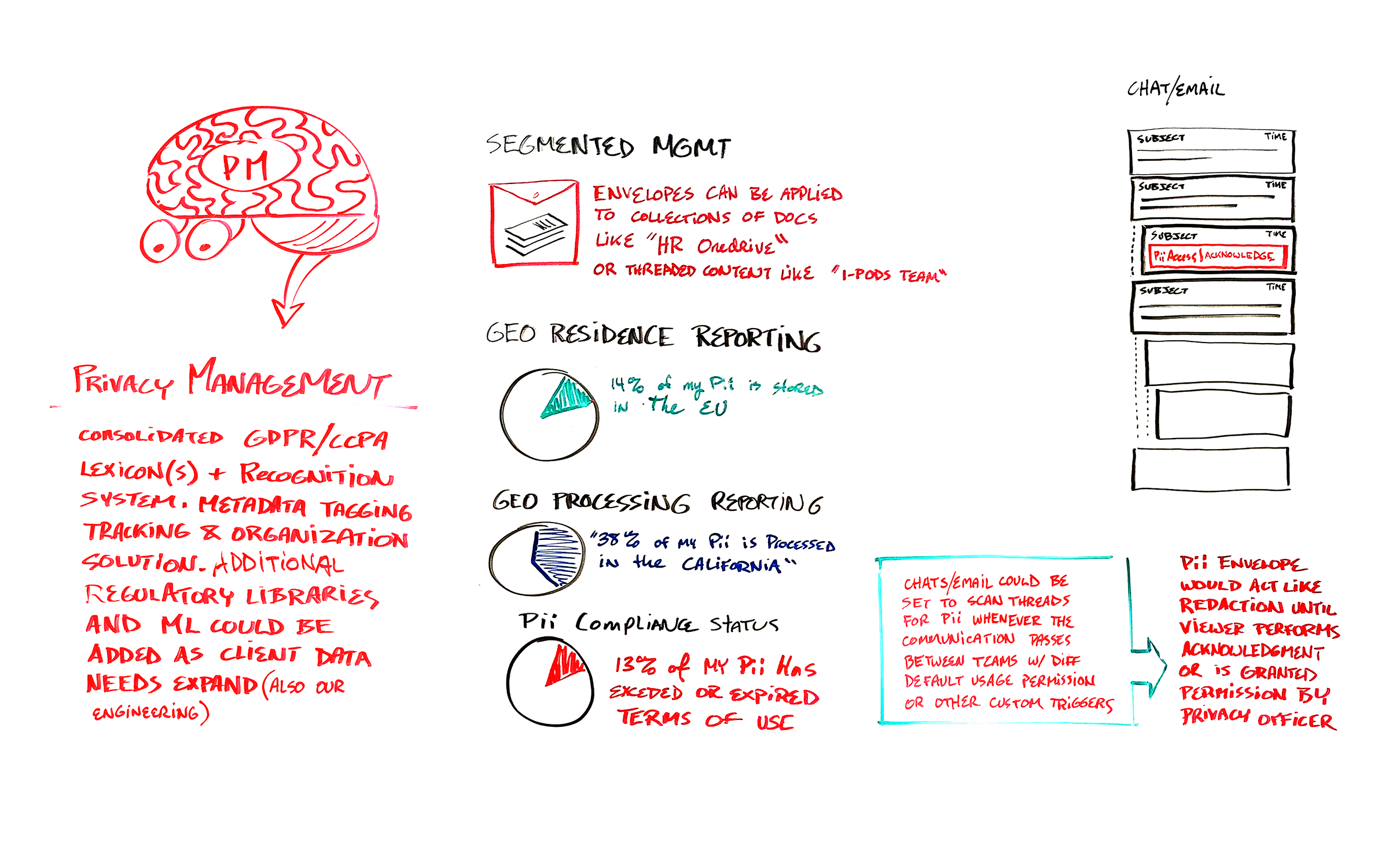
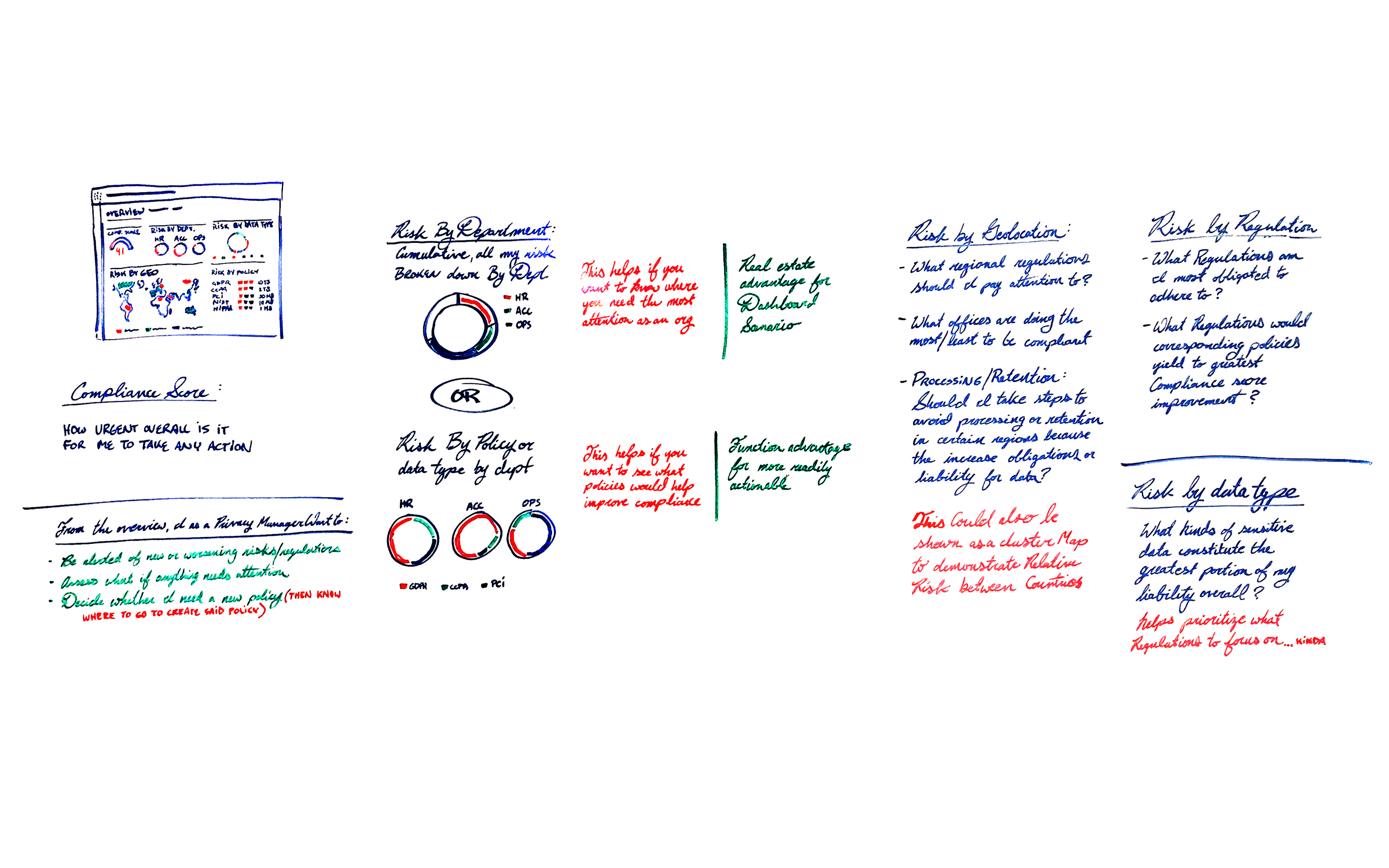
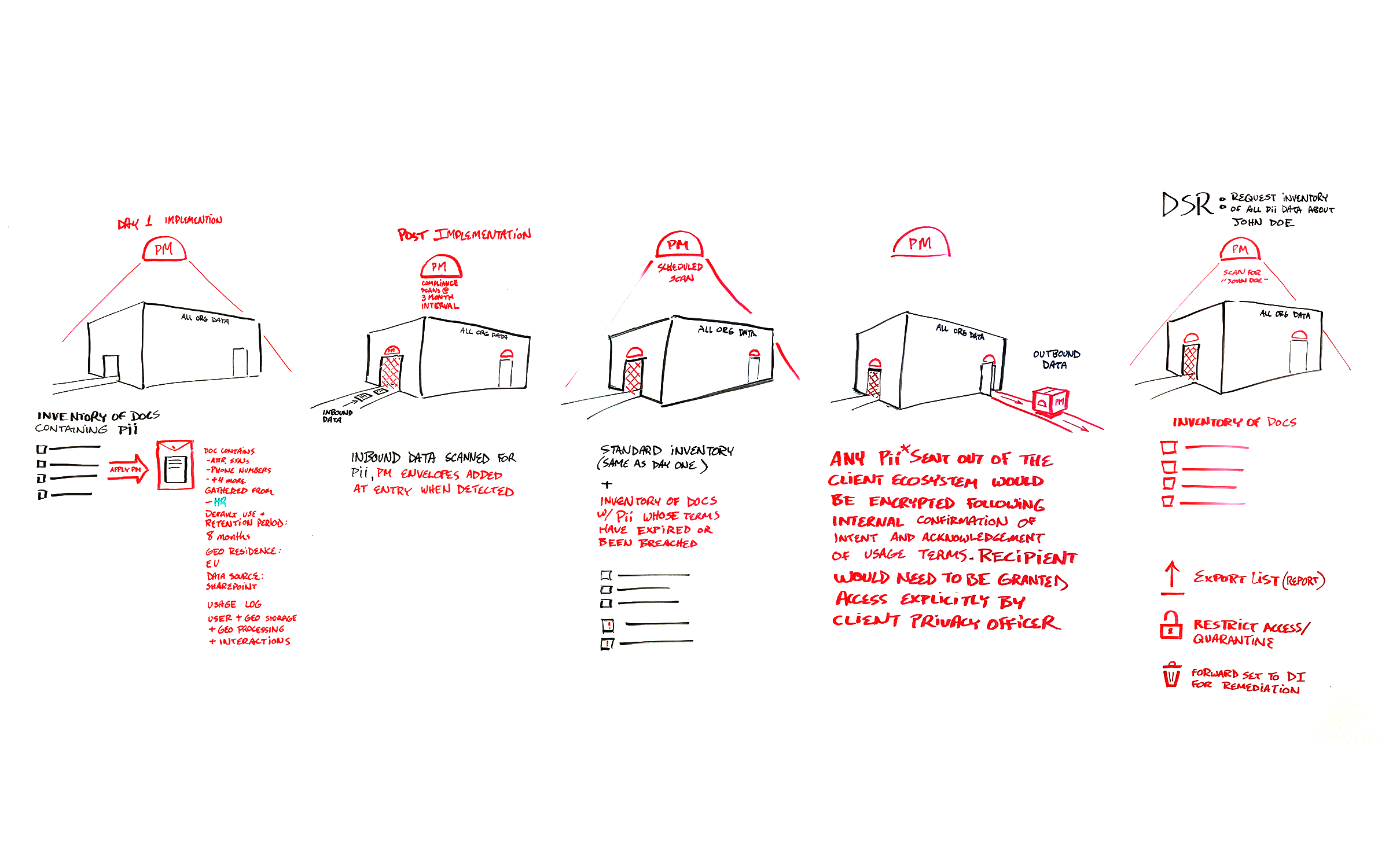
During a reorg that merged Compliance and Security, I proposed a new solution: a toolkit for governing personally identifiable information in unstructured data, a category the market's existing tools largely ignored in favor of structured, easily searchable sources.
Problem
Most privacy tooling on the market (2023) was built for structured, readily searchable data, leaving unstructured sources, the documents, chats, and emails that make up most of a real organization's data, largely ungoverned. Customers weren't managing PII in these sources because the regulations were too numerous to track, monitoring was entirely manual for both information workers and privacy officers, and there was no reliable way to even locate PII once it existed outside a structured database. The M365 Security and Compliance suite had unique reach across a client's full unstructured data stack, an opportunity nobody was using to solve this specific gap.
Process
- Identified a genuine market gap: existing PII governance tools focused on structured, easily searchable data, while most real exposure sat in unstructured sources across the full M365 stack, largely ungoverned because monitoring it was too manual and the applicable regulations too fragmented for most teams to track
- Designed the system's core mechanic: a "policy envelope" wrapping any document or data instance containing recognized PII, carrying usage rules, retention terms, and access logs with it wherever it traveled, including into threaded content like email and Teams chat
- Mapped a full experience survey spanning onboarding and initial scan, policy authoring and editing, approved/unapproved access flows, data subject requests, and handoffs into adjacent solutions like Data Investigations and Insider Risk Management
Outcomes
- A complete systems proposal: architecture, policy model, day-one and steady-state workflows, and cross-solution integration points, fully defined
- Made the schedule for Ignite, Microsoft's twice-annual executive review, but time overruns pushed my slot off the agenda. I was told it would be reviewed separately; it wasn't, and the work quietly ended there
- Worth revisiting: AI-assisted data classification has advanced enough since 2023 that some of this proposal's hardest constraints may no longer apply
DLP · Shared pattern
Location Picker
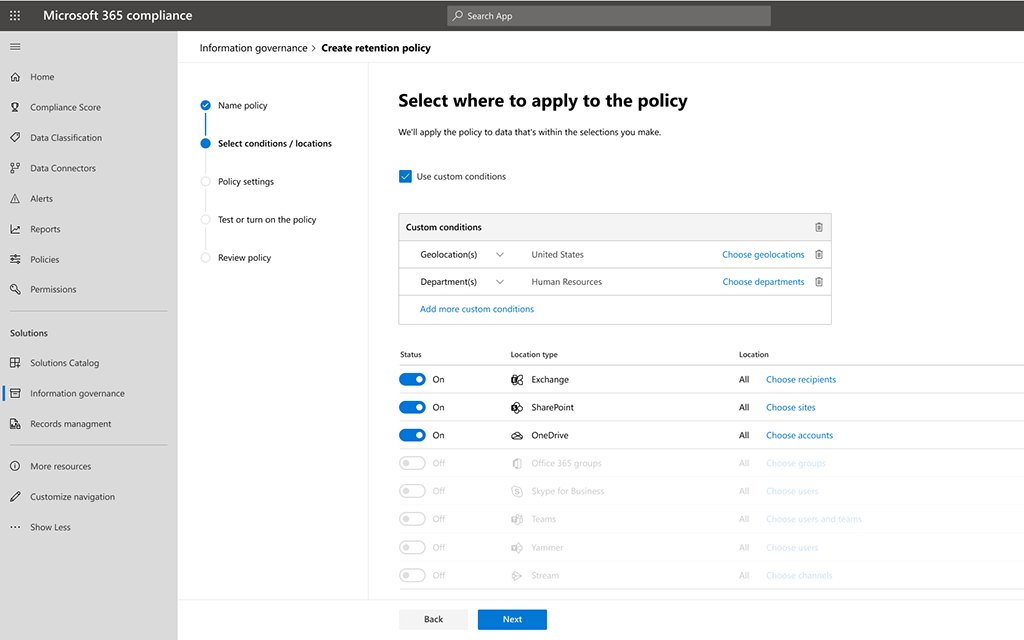
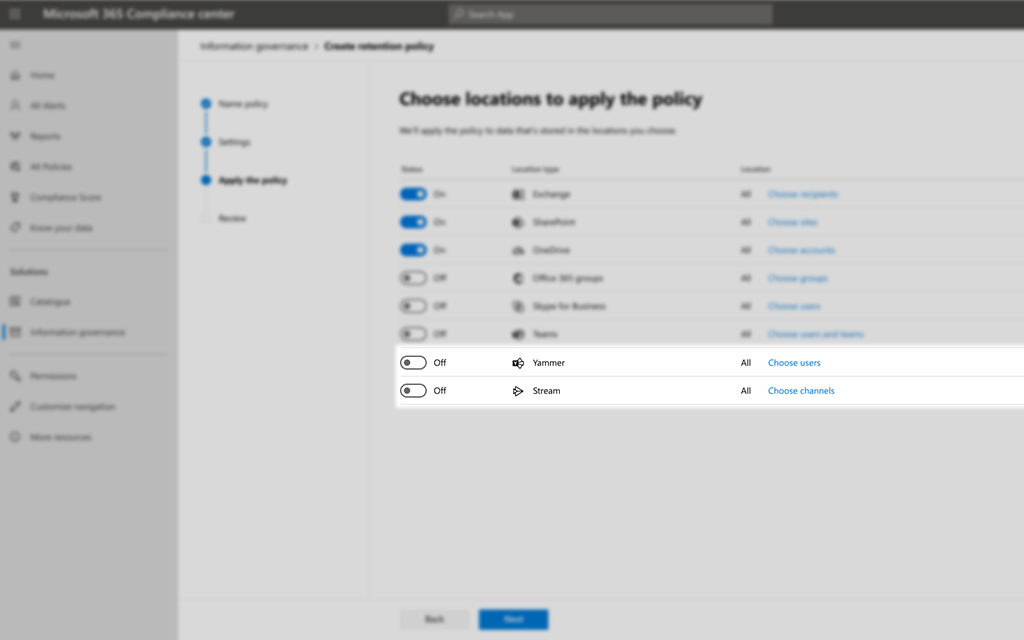
Location Picker, the control used to specify which SharePoint sites, Exchange locations, and Teams data a policy applied to, had accumulated real customer escalations and at least one significant incident. I redesigned it as a shared, spec'd component built to be adopted anywhere in the Compliance suite that needed the same selection logic.
Problem
Choosing which locations a policy covers sounds simple, but getting it wrong has real consequences: a location left out means unprotected data, one included by mistake means a policy applying somewhere it shouldn't. The existing picker's design made that kind of error easy to make, and it had already caused customer escalations and one major incident before the redesign began.
Process
- Studied the existing picker's behavior in detail rather than starting from a blank page, identifying exactly which interactions were producing selection errors
- Redesigned the control and wrote the full specification needed for it to work as a shared component, not a one-off fix scoped to a single solution
- Planned baseline usability testing after ship, to generate quantitative evidence for wider adoption and address a known gap in telemetry for the component
Outcomes
- Shipped and adopted by multiple Compliance solutions, including DLP, Information Governance, and Records Management, closing a prominent customer-facing risk
- The post-deployment testing plan produced an evidence trail for future iterations
DLP · Data Investigations · Feature proposal
DLP Remediation & Triage
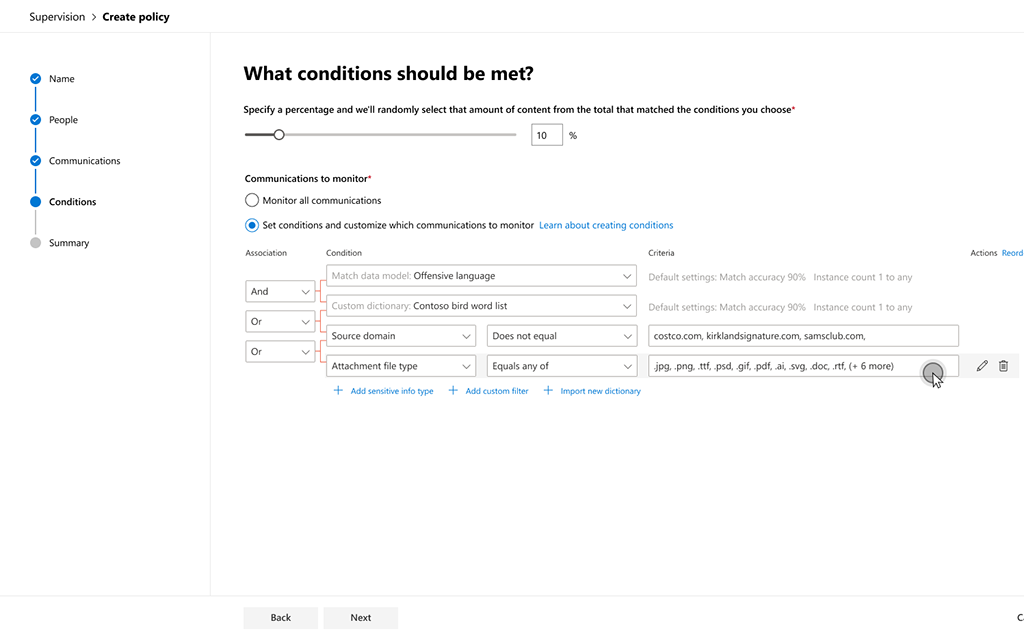
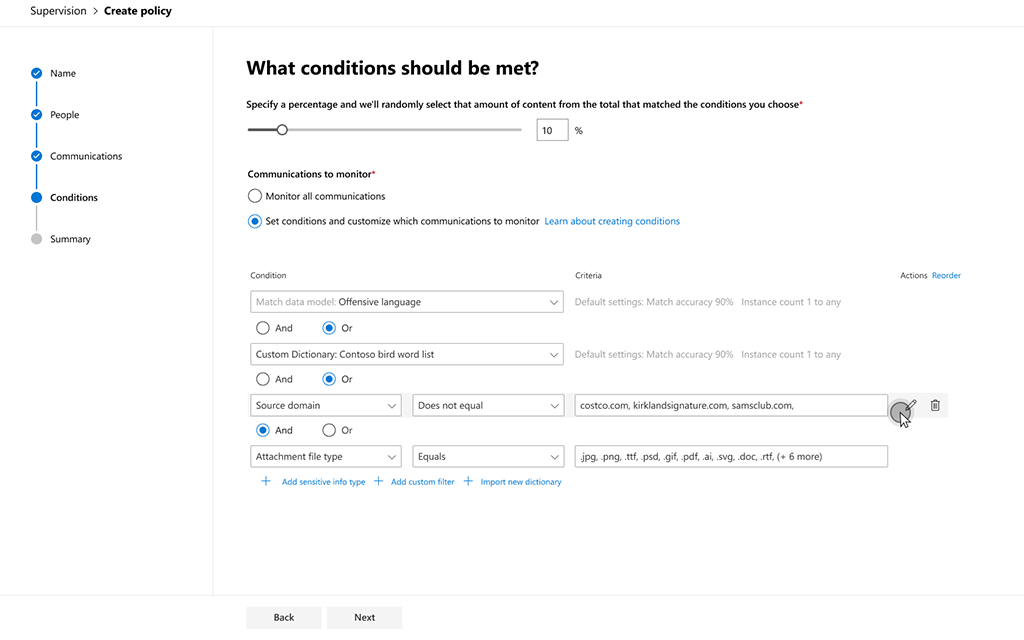
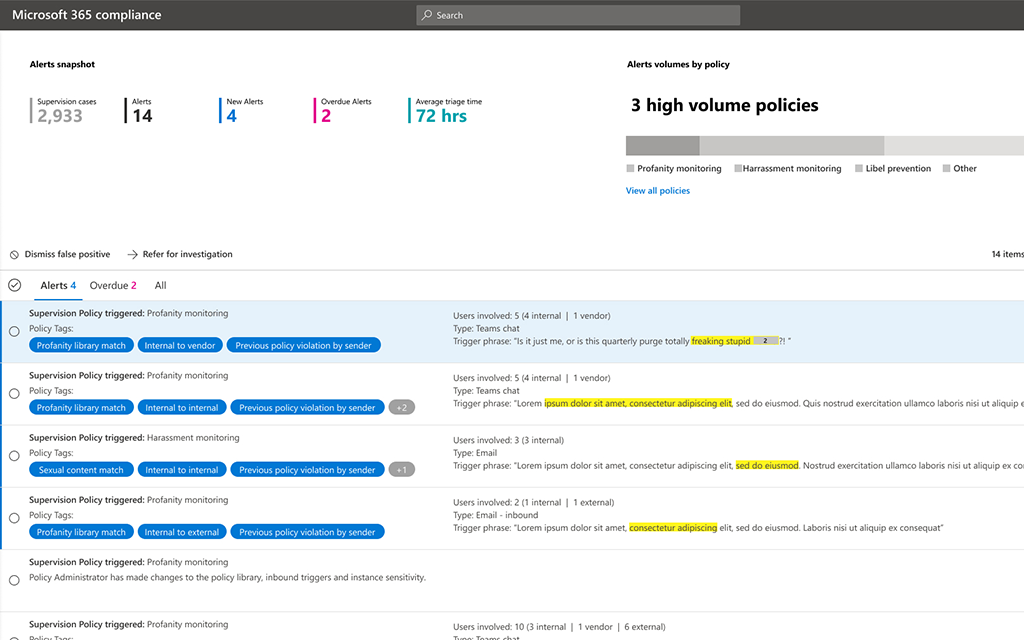
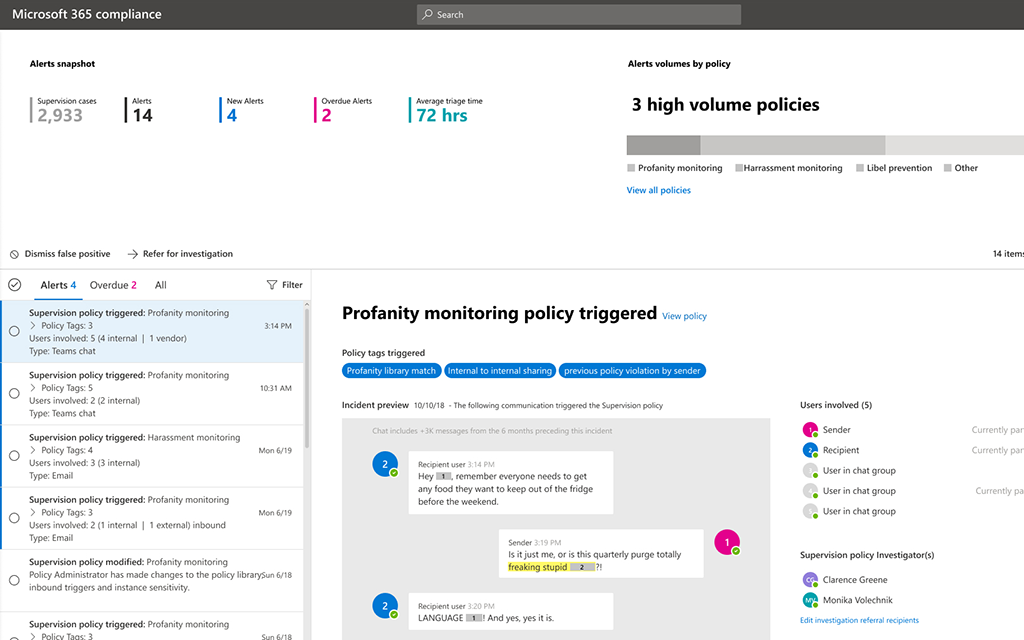
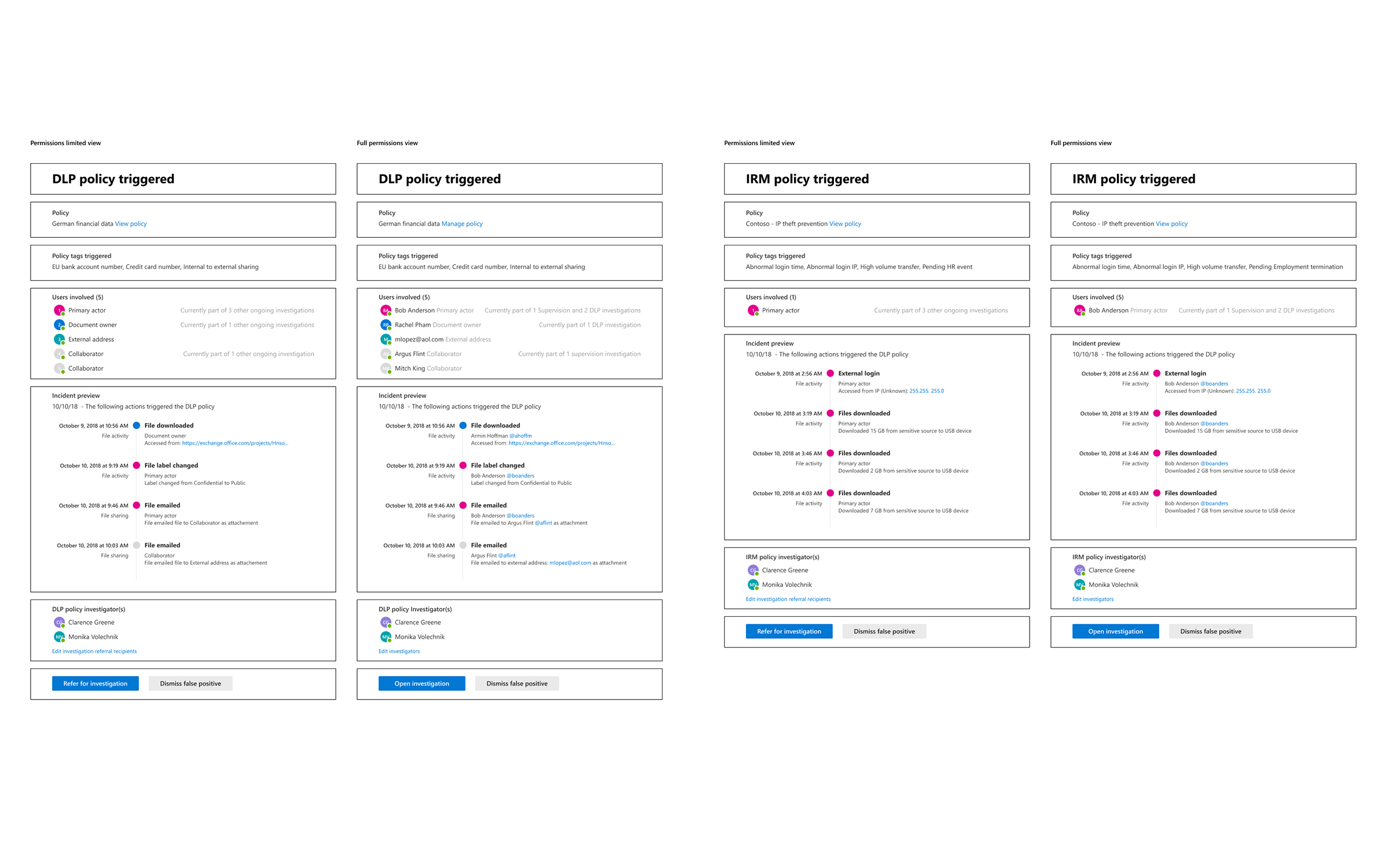
When a DLP policy flagged a violation, remediation was left entirely to the user, with Microsoft's own internal teams stitching together emails, spreadsheets, and scripts to track it. Working with a PM, we proposed consolidating alert, investigation, and communication into one streamlined flow inside Data Investigations.
Problem
DLP could detect a policy violation and take action, but what happened next was unowned. Confirming whether a user had actually remediated an issue meant manually aggregating data across tools, since even the audit log wasn't reliable enough to confirm a flagged file was really gone. The feature also straddled two solutions awkwardly: the affected users belonged to DLP, but the remediation workflow lived in Data Investigations, creating redundant handling with no clear owner on either side.
Process
- Framed the fix around speed and volume: DLP analysts triage alerts many times a day, so the target was reducing every decision to as few inputs as possible while surfacing the information needed to judge true positive vs. false positive at a glance
- Proposed leveraging existing analytics from Insider Threat Protection to help rate and prioritize incoming alerts, rather than presenting them unsorted
- Flagged the research gap directly rather than proceeding without it: no user researcher was assigned to the feature, only marketing research, and validation had come only from CELA legal counsel and two customer conversations (MetLife, World Bank)
Outcomes
- Concept and UX principles were defined, but the project had no committed timeline and stalled without dedicated user research to validate direction
- An early instance of naming a real structural problem: a feature can fall between two solutions and get incomplete ownership from both
eDiscovery · Two Design Passes
Query Builder
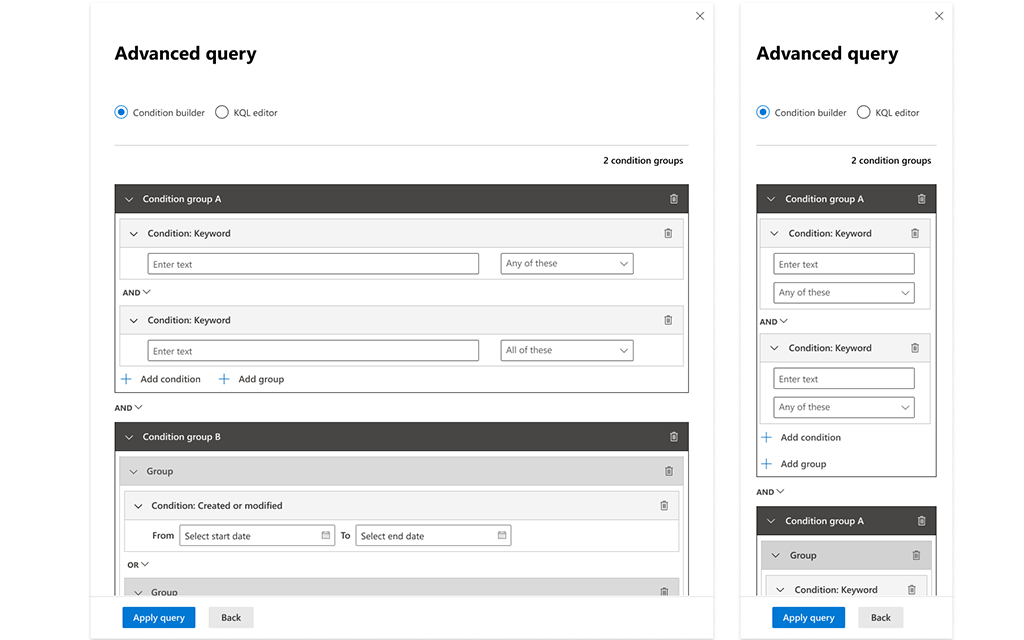
Legal teams use long, code-length KQL queries to search case data, but two moments in the workflow needed something simpler: early case assessment, before the scope of a search is even agreed with opposing counsel, and sorting the huge result sets a full KQL query returns. I designed a boolean query builder to serve both, usable by paralegals and interns who didn't read KQL.
Problem
KQL queries in eDiscovery can run pages long, and most of the people who needed to build simple ones, paralegals, interns, junior staff, didn't read the language. Two distinct moments in the case lifecycle needed a boolean alternative: Early Case Assessment, where legal teams work with limited, preliminary parameters to gauge risk before scope is formally negotiated, and post-query triage, where a full KQL search could return far more data than was usable and needed further narrowing. Any visual query builder also had to stay legible to KQL, since the two needed to work in concert, not as separate tools.
Process
- Spent the first two months surveying competitor query-builder tools alongside a mentor designer, who left for a new role shortly after; her early direction shaped the approach even after ownership passed fully to me
- Worked through the range of ways the tool could present boolean logic visually, now as the sole designer on it
- Identified the project's hardest unsolved problem: conditions can nest infinitely, but the UI real estate to display that nesting runs out well before the logic does
- Set a practical limit of 4 nested levels for the first shipped version, an intentional constraint rather than an ideal solution
- Returned to it in 2021 during one of Advanced eDiscovery's recurring overhaul efforts, driven this time by extra engineering resourcing rather than a design-led push, and ran into the same nesting limits again
Outcomes
- Shipped a usable boolean query builder that let non-KQL-fluent users construct real searches
- The core nesting problem was never fully solved across either pass — more engineering resourcing the second time around produced only marginal improvement